

Inviting a Friend? Here's How!
Hi all!
I recently announced that we're going to be running webinars and said that you'd be able to get a free ticket to the paid ones if you invited a friend to the community and they joined.
If you're wondering how you can prove you invited them, there is a way! It's a little fiddly, so I thought I'd give you a little tutorial!
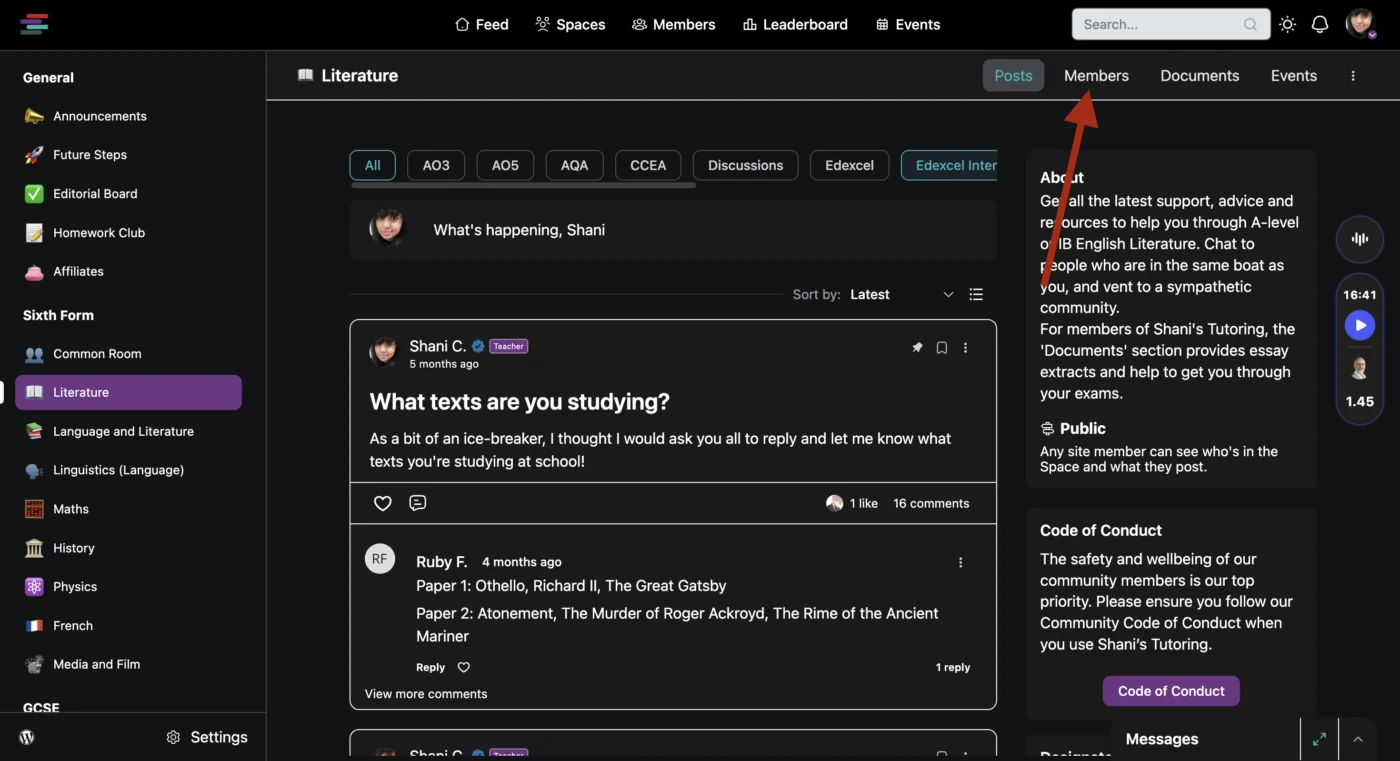
Step 1: Choose a space
Choose a space that you'd like to invite your friend to and click on it.
Step 2: Click on the 'Members' tab
Now, once you're in the space you'd like to invite someone to, click on the 'Members' tab there.
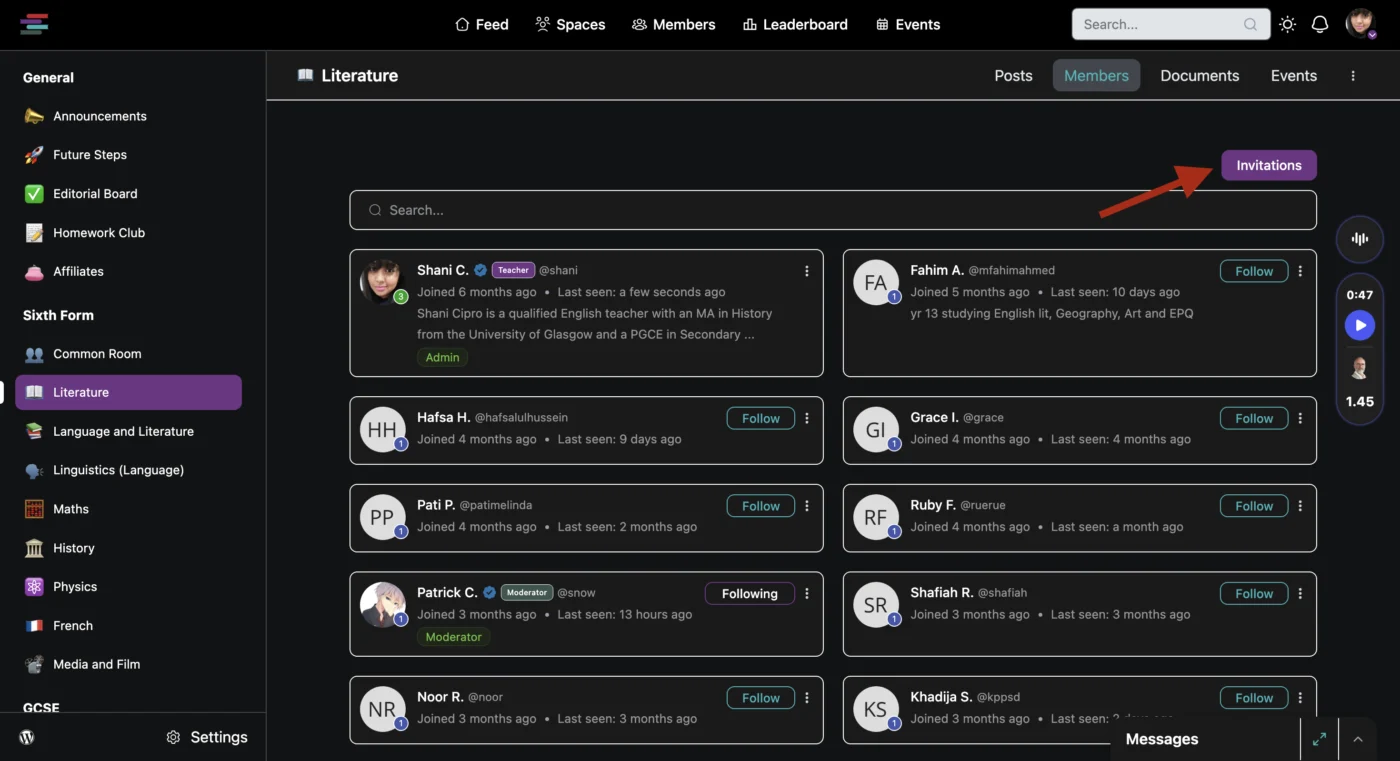
Step 3: Click on the 'Invitations' button
This is where you'll be able to see the existing invitations! Click on that tab.
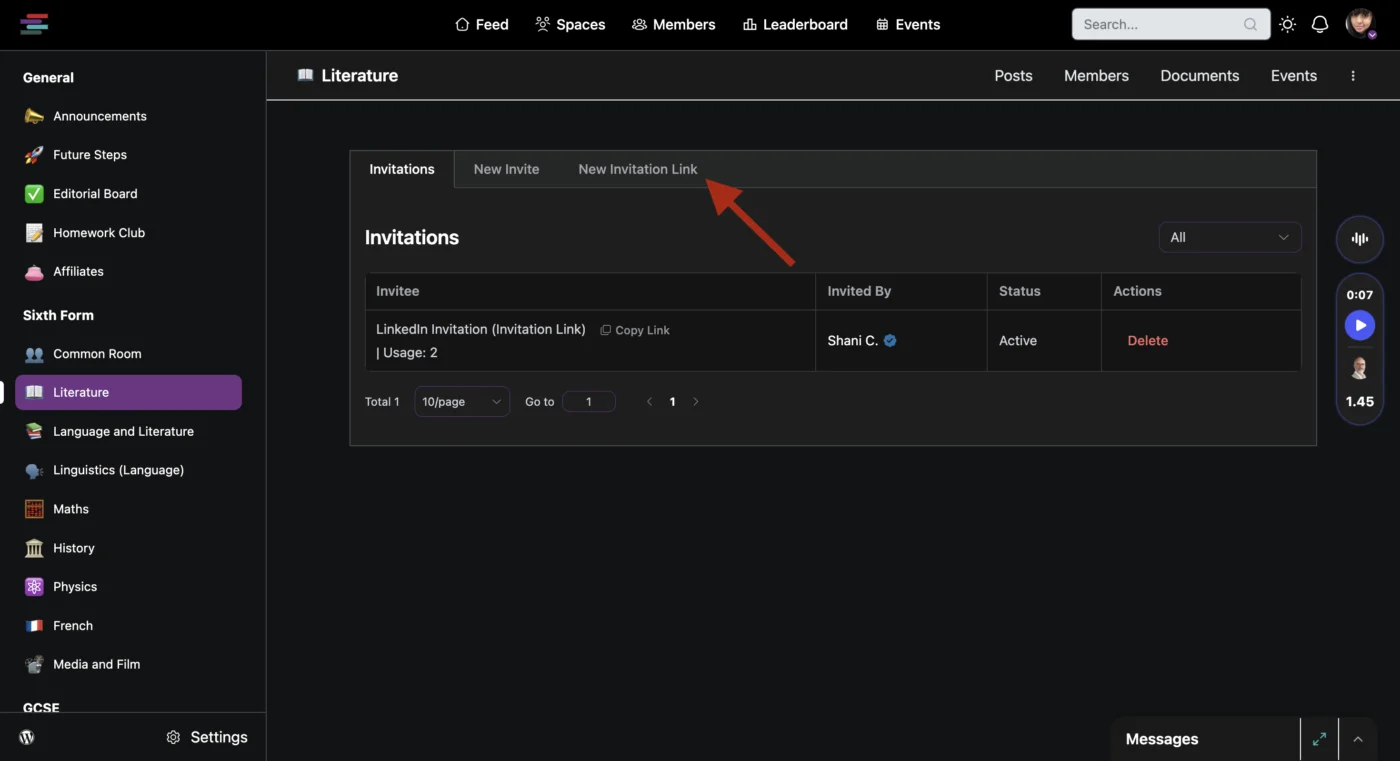
Step 4: Click 'New Invitation Link'
This is where you'll be able to make your invitation.
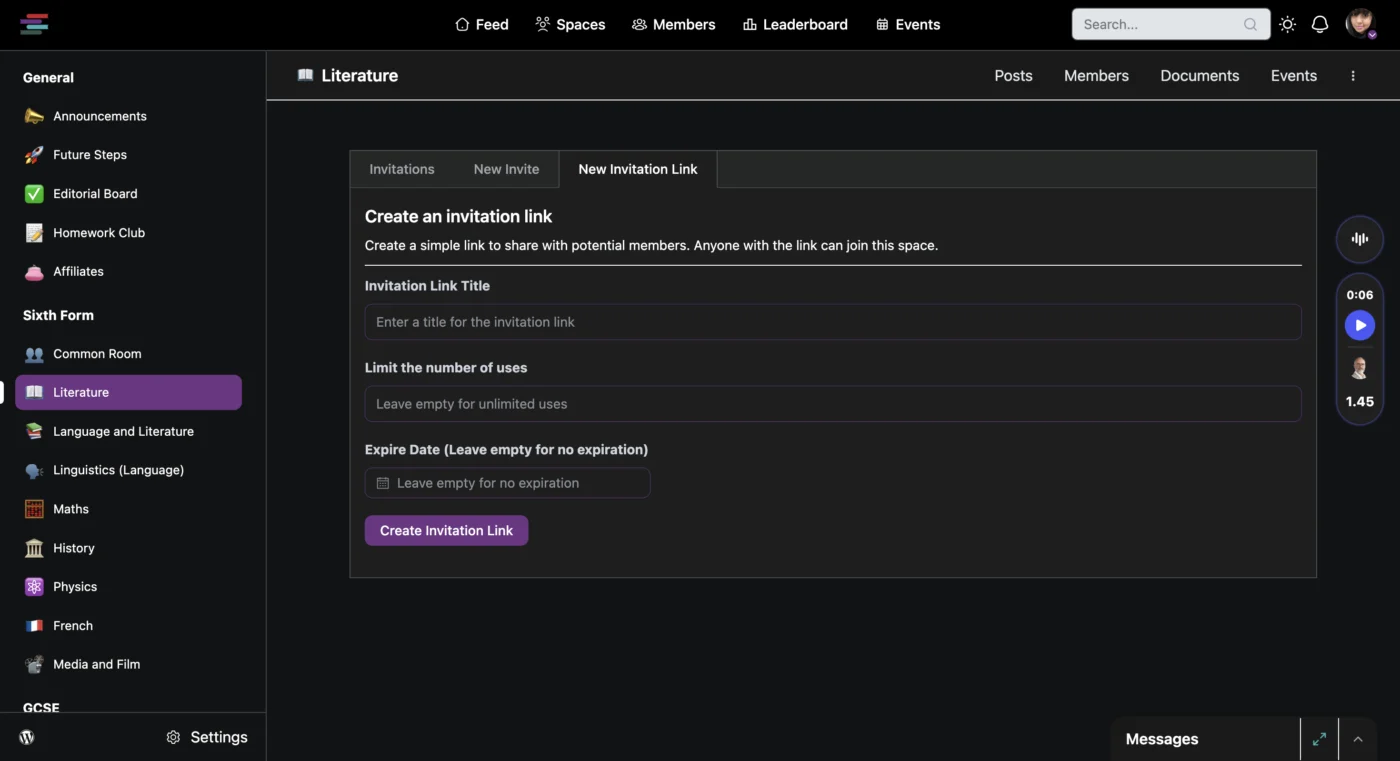
Step 5: Add the details to generate your invitation link
Now you can add the details you need in order to generate an invitation link! You can use this as many times as you want and for as many people as possible.
I'm currently looking into ways to reward people with tutoring discounts if they invite the most people!
I really do appreciate every single invitation I get on here. I'm trying to make this community as useful and vibrant as possible, so every new person is a huge help!
The people who have joined recently and use the space have been absolutely irreplacable, so I'm hoping we can get more of them!